1
Record
Work normally in the built-in browser, or capture any window or region of your screen. Clicks, typing and navigation are all captured, with a screenshot at every step.
DigiRecord watches you do the job once, then writes it up. Every click becomes a numbered step with a screenshot — ready to hand to a colleague, attach to a ticket, or run in CI.
Free 14-day trial, no card required. Not a subscription.
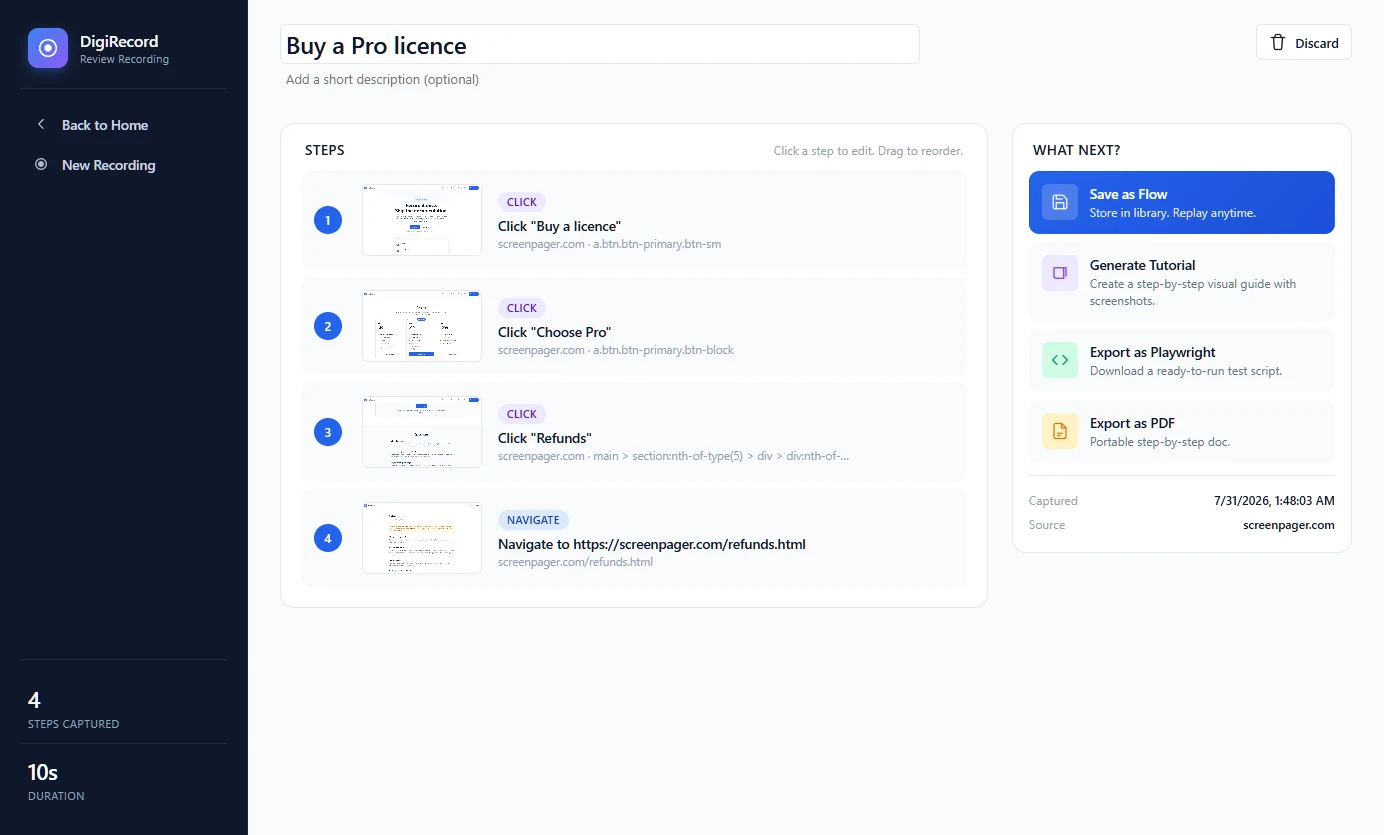
A real recording, reviewed before anything is published.
No scripting, no screenshot tool, no pasting images into a document at midnight.
Work normally in the built-in browser, or capture any window or region of your screen. Clicks, typing and navigation are all captured, with a screenshot at every step.
Rename a step, rewrite a description, hide anything that should not appear in the final guide. Nothing is produced until you are happy with it.
One recording, three outputs. A step-by-step HTML guide, a PDF document, or a Playwright script your CI can actually run.
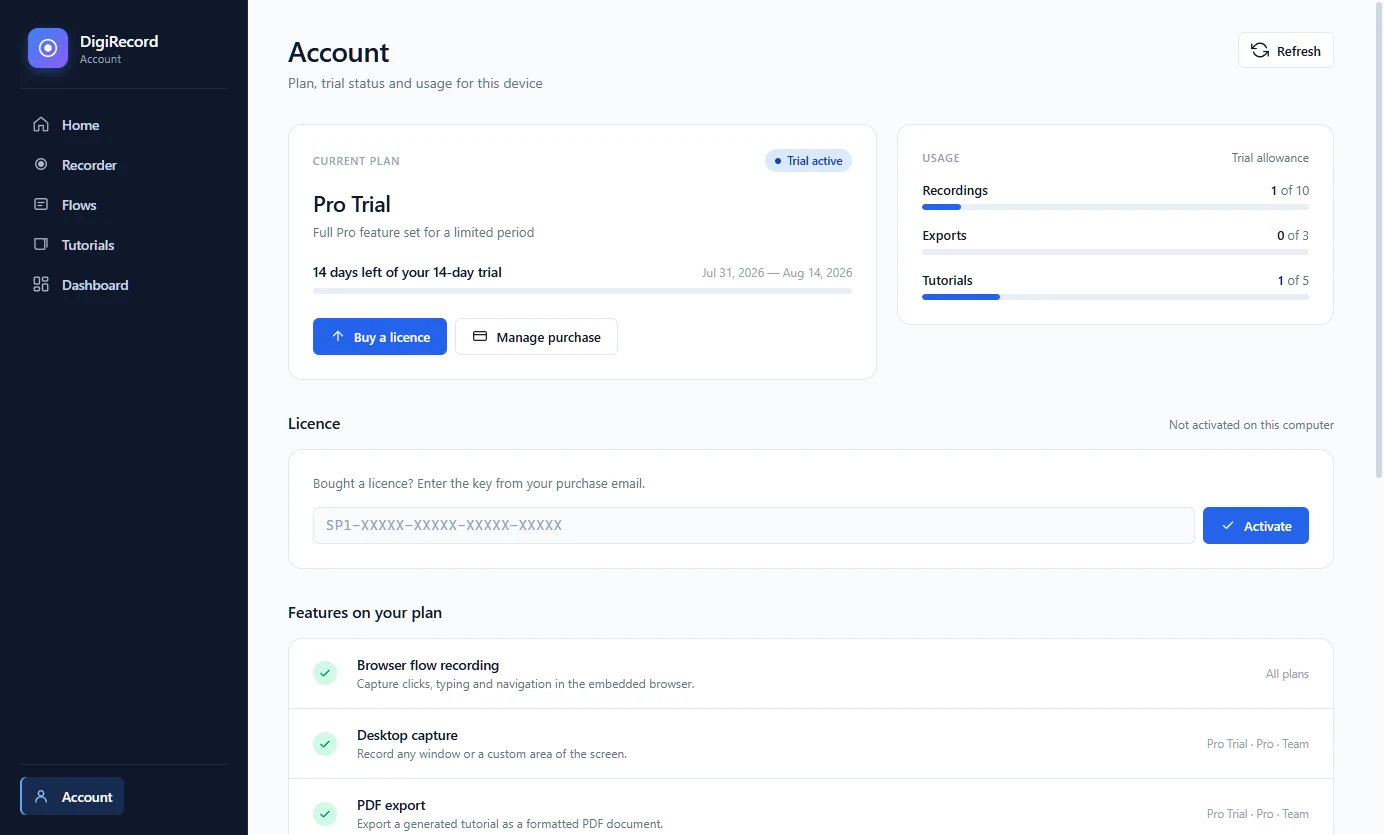
These are screenshots of the application, not mockups.
Pick browser or desktop and begin. Behind the scenes it is choosing how to identify what you clicked: an id first, then a test attribute, then a stable path — verifying each candidate really resolves to your element before it commits, so the recording still works after a redesign.
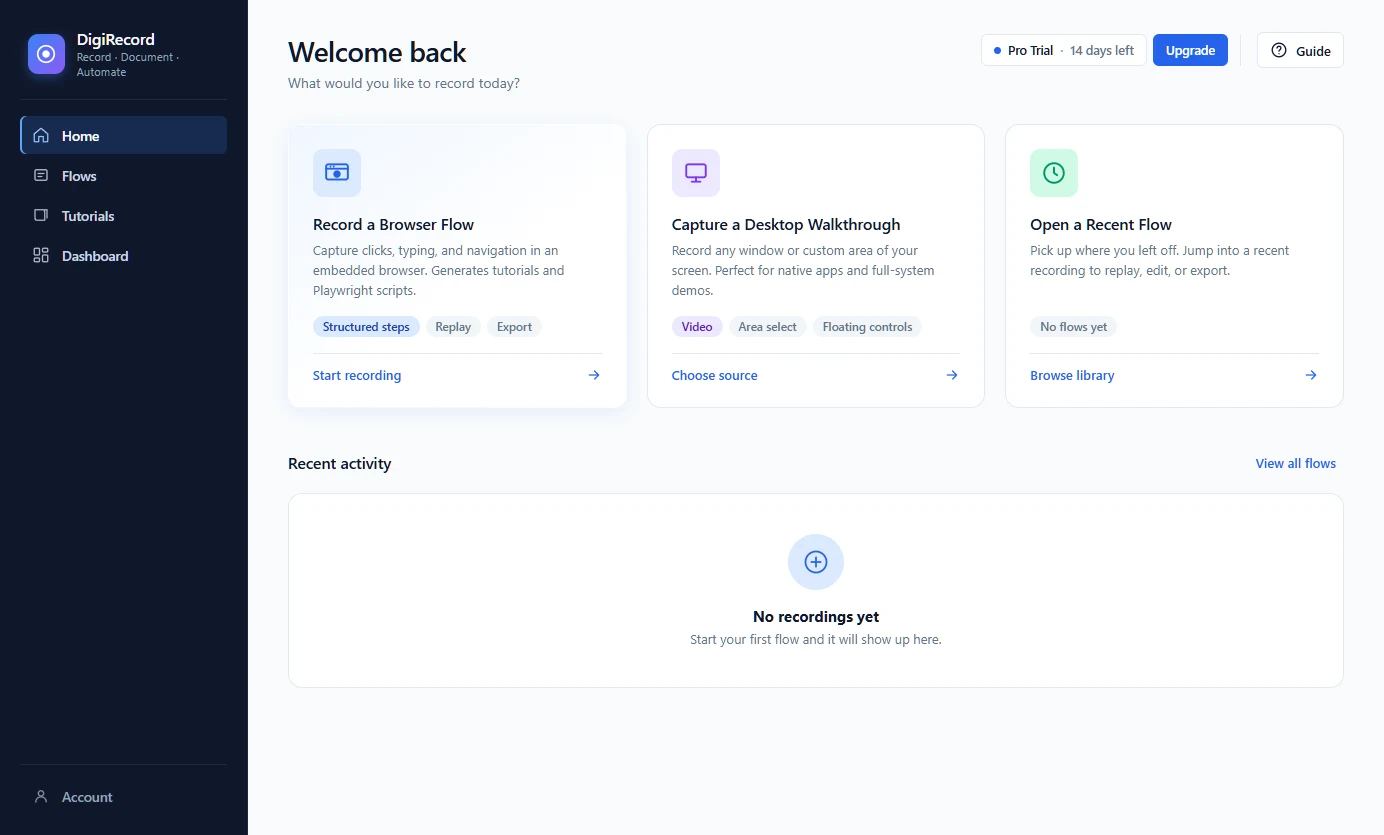
Numbered steps, a screenshot for each, and a marker showing exactly where the click landed. Edit the wording before you share it, then export the same guide as a PDF for the people who will always prefer a document.
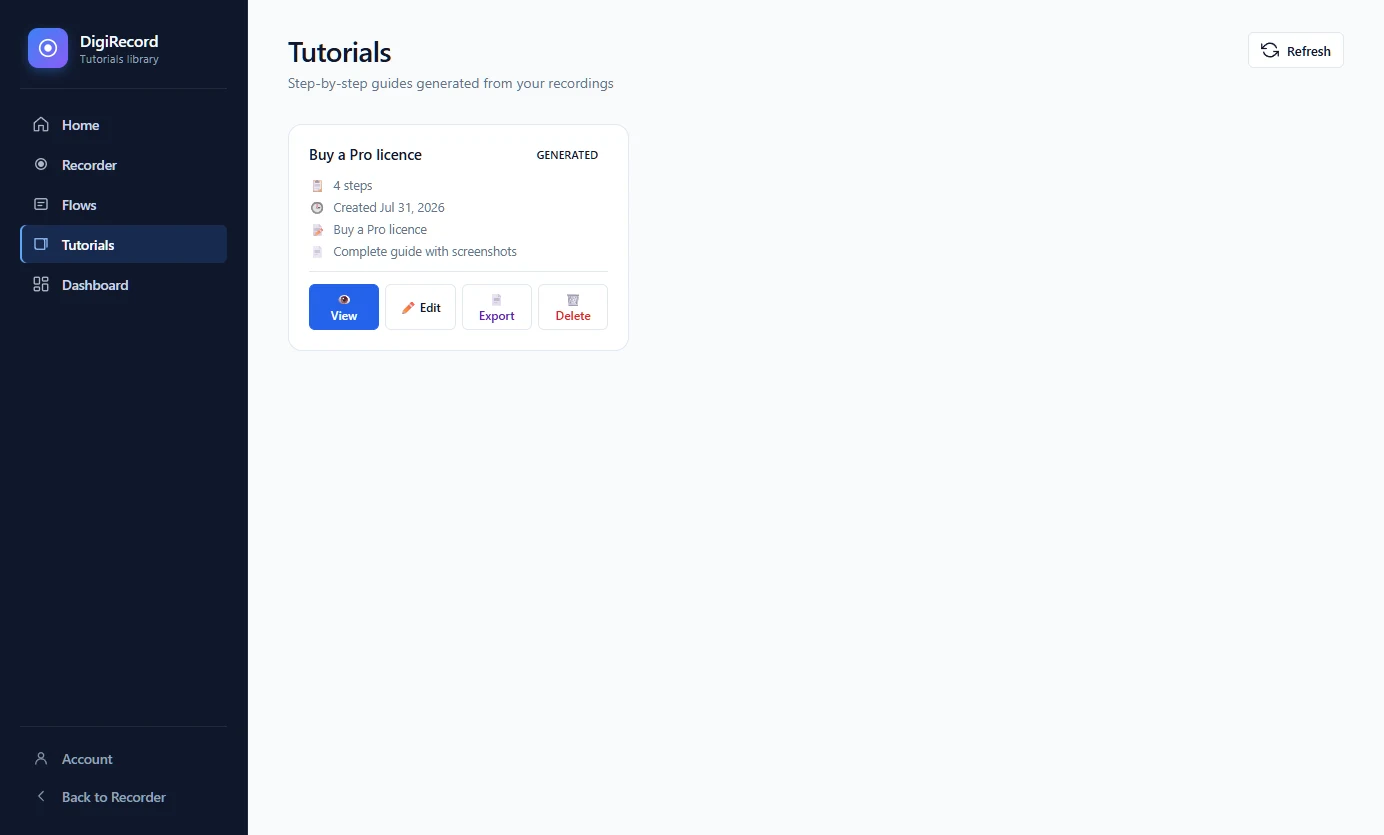
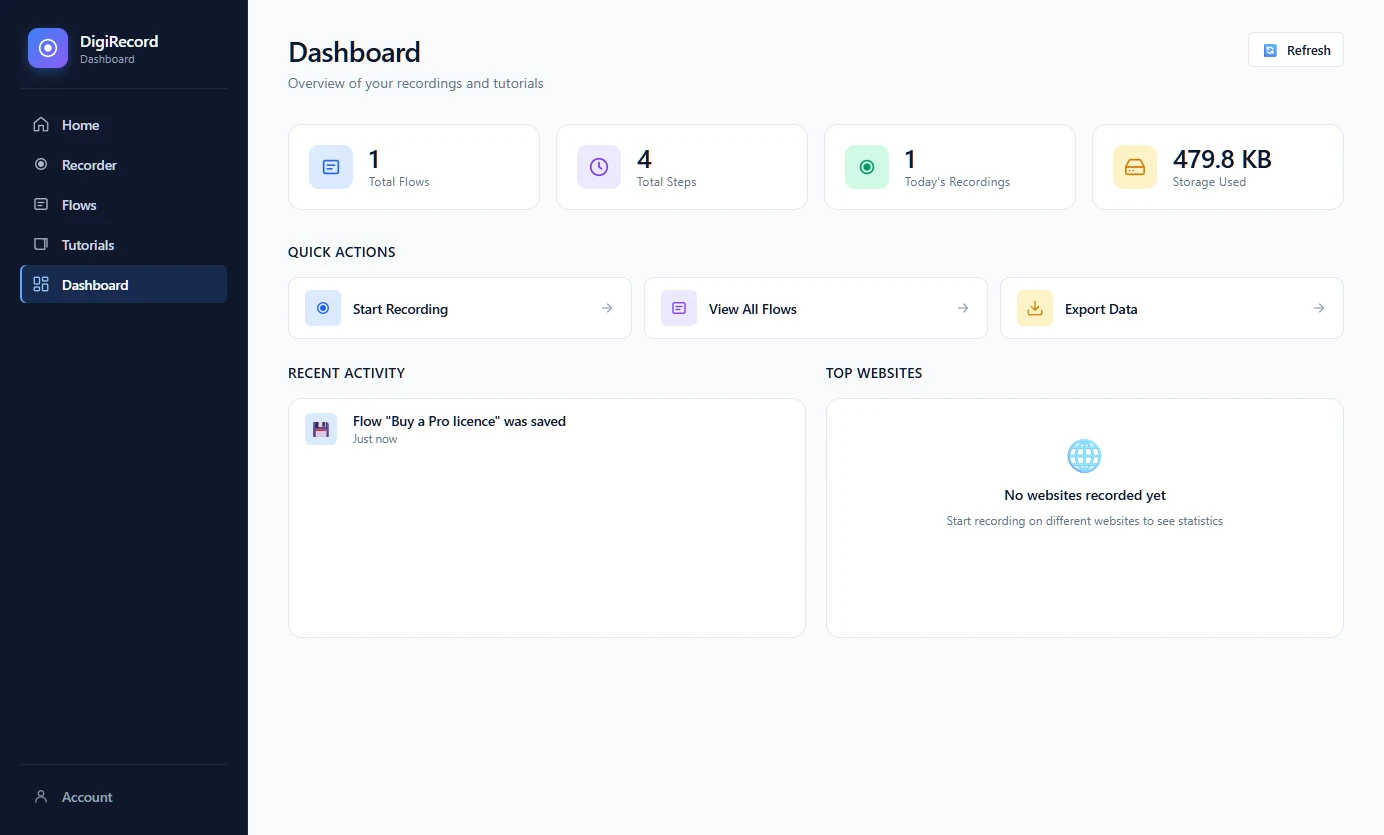
Every flow you record is saved locally and can be replayed, edited or exported again later, with a dashboard showing what you have built up. There is no account to create and no server holding your work, because none of it ever leaves your computer.
Paste the key from your purchase email once. It is verified with a signed token that works offline, so a flight or a corporate proxy never locks you out of software you have paid for. Move machines yourself, without asking us.
Everything below is in the app today, not on a roadmap.
An embedded browser captures every click, keystroke and page change as a structured step.
Record a window, a full screen, or a region you drag out. Floating controls stay on top of the work.
Numbered steps, screenshots and click markers, in a self-contained HTML file you can send anywhere.
The same guide as a document, for onboarding packs, audits and compliance folders.
A recorded flow becomes a runnable test. Find out when the journey you documented stops working.
Play a saved flow back against the live site to confirm it still holds. No code required.
Recordings, screenshots and exports are written to your own disk. We never receive them.
Everything except the periodic licence check runs with no connection at all.
Saved flows, generated tutorials and usage at a glance, all read from your local store.
A one-time licence, not a subscription. It keeps working for as long as you use it, and includes 12 months of updates.
One person, browser work only
$49
one-time · 1 computer
Everything, on your desk and laptop
$99
one-time · 2 computers
A small team sharing one licence
$299
one-time · 5 computers
Card and PayPal checkout is being connected. Until it is, email us the plan you want and we will send a licence key and an invoice the same day.
Already have a key? Open DigiRecord, go to Account, and paste it into the Licence section.
14 days with the full Pro feature set. No account, no card, nothing to configure. Your recordings stay on your machine.
Installs per user, so you do not need administrator rights, and you can choose where it goes.
Windows 10 or 11, 64-bit. No Mac or Linux build yet.
The installer is not yet code signed, so Windows shows a "Windows protected your PC" screen. Choose More info, then Run anyway. We would rather tell you this up front than have you wonder. A signing certificate is on the way.
If you would like to verify the file first, its SHA-256 is:
a8c3cbaf2c136efcc1f253c5cd27e1a1da6119983cdac24d3a407523154646dd
In PowerShell: Get-FileHash .\DigiRecord-Setup-1.0.1.exe -Algorithm SHA256
Launch it and the trial starts. The user guide walks you through your first recording and everything you can produce from it. Already bought a licence? Open Account and paste your key.
No. You buy a licence once and it keeps working. Updates released in the following 12 months are included; after that your version carries on working, you just stop receiving new ones unless you renew.
Basic covers one, Pro two, Team five. You can move a licence yourself: open Account and choose Deactivate this computer, which frees the seat immediately. No support ticket needed.
No. Recordings, screenshots and exports are written to your own machine and stay there. The app contacts our server only to check your licence, roughly every one to two weeks, and that request contains the licence key and a hashed device identifier — nothing about what you recorded.
Yes. Recording, editing and exporting all work with no connection. If the licence check cannot reach us it keeps working for 30 days and quietly tries again, so a flaky network never costs you a day's work.
14 days with the full Pro feature set, no card. It is capped at 10 recordings, 3 exports and 5 tutorials, which is more than enough to decide.
Generated guides are self-contained HTML you can edit, so restyling them is straightforward. Custom templates are not built in yet.
Windows 10 or 11, 64-bit. There is no Mac or Linux build yet.
Yes, within 14 days, no justification needed. See Refunds.
14 days, full Pro features, no card. If it does not save you an afternoon, do not buy it.
Download for Windows